
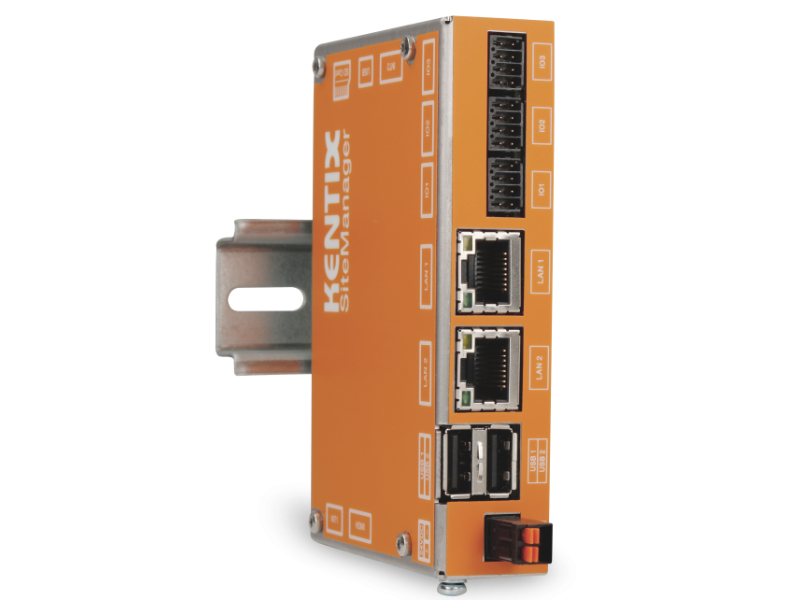
SiteManager data sheet
The Kentix SiteManager is the central KentixONE control unit for up to 250 devices. All devices used for access control(SmartAccess), building security(SmartMonitoring) and IT security(SmartPDU) are monitored by the SiteManager and their data evaluated.
It manages all master data such as users, access, alarm groups as well as devices and their sensors.
Safety instructions
No modifications of any kind may be made to Kentix GmbH products, with the exception of those described in the relevant instructions.
When installing Kentix devices, certain degrees of protection must be guaranteed.
Observe the relevant regulations for installations in the respective environment.
Only operate the products within the defined temperature range.
The instructions should be passed on to the user by the person carrying out the installation.
Kentix accepts no liability for damage to the devices or components caused by incorrect installation. Kentix accepts no liability for incorrectly programmed units.
Kentix accepts no liability for faults, material damage or other damage.
moisture, dirt and damage during transportation, storage and operation.
Only operate the products within the defined temperature range.
Installation and battery replacement may only be carried out by trained specialist personnel in accordance with the instructions.
Do not charge, short-circuit, open or heat batteries.
Observe the correct polarity when inserting the batteries.
The devices must always be operated with the batteries intended for the product.
When changing the batteries, always replace all batteries.
Dispose of old or used batteries properly.
Keep batteries out of the reach of children.
Connection and operating elements
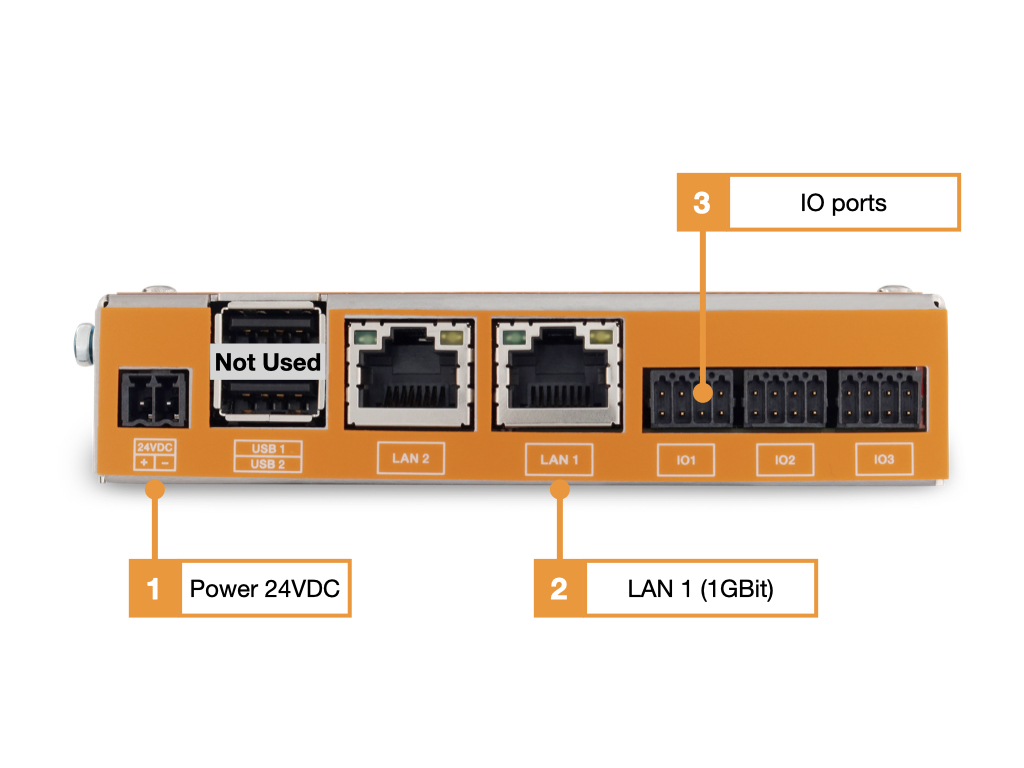
- Power supply 24VDC/10Watt (plug-in power supply included)
- Network LAN1 (1GBit), Network LAN2 (100Mbit)
- IO ports (For future use)
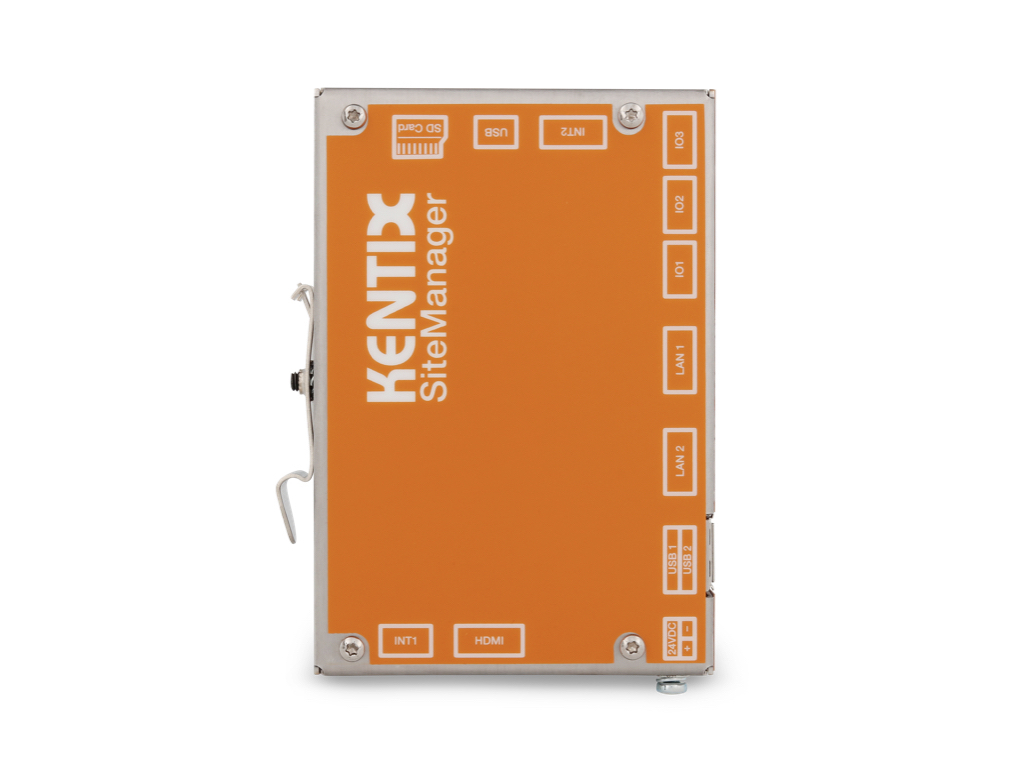
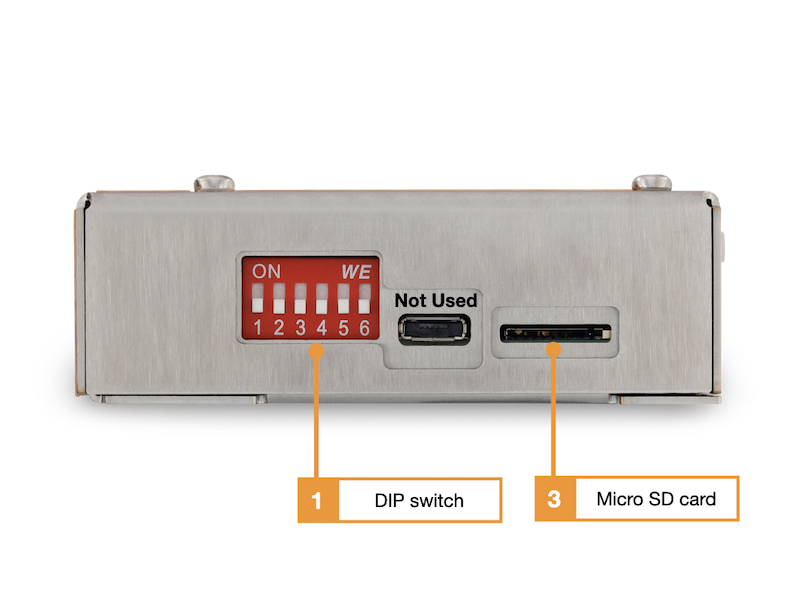
- DIP switch (not used)
- Micro SD card (recommendation SD card > 32GB)
Start the device and find it in the network
- Establish the power supply to the device.
- Connect your PC and the Kentix device to the same network and adjust the PC’s network settings if necessary.
- The device receives an IP address via DHCP from your network. At the same time the fallback address 192.168.100.22x (see sticker on the product) is active in factory settings.
- Find the device in the network: You can determine the address assigned by DHCP on your switch or by means of software such as “LanScan” for MacOS or “Advanced IP Scanner” for Windows. Search for a MAC address with“70:82:0e:xx:xx:xx”. Typically, the associated device name will also be“Kentix-72820e……“, with the last 6 digits in MAC and name assigned individually for their device.

- Call the determined IP address with a browser of your choice (“http://Device-IpAddress”).
Configuration with KentixONE
The device is configured via the web browser in KentixONE. The device must be accessible to the central KentixONE instance on the network side. Depending on the device type, a communication key and the IP address or DHCP name of the central KentixONE instance must also be set on the device (MultiSensors, AccessManager, SmartPDU). IP cameras or IO modules, on the other hand, can be integrated directly into KentixONE.
All information about the software can be found in the KentixONE section and the associated documentation.