
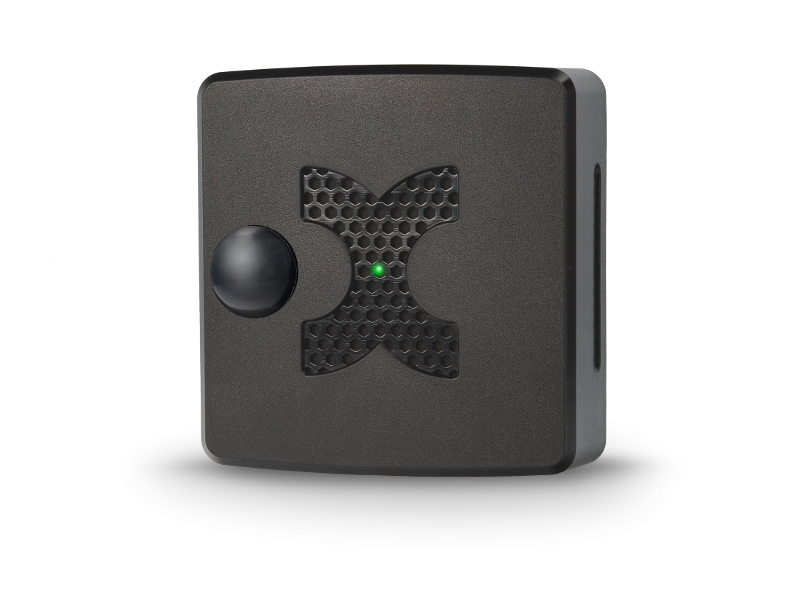
DATASHEET MULTISENSOR-ROOM
The MultiSensor-ROOM-BLE is a battery-operated MultiSensor that can be networked via radio. The sensor is particularly suitable for cost-effective and wireless room monitoring.
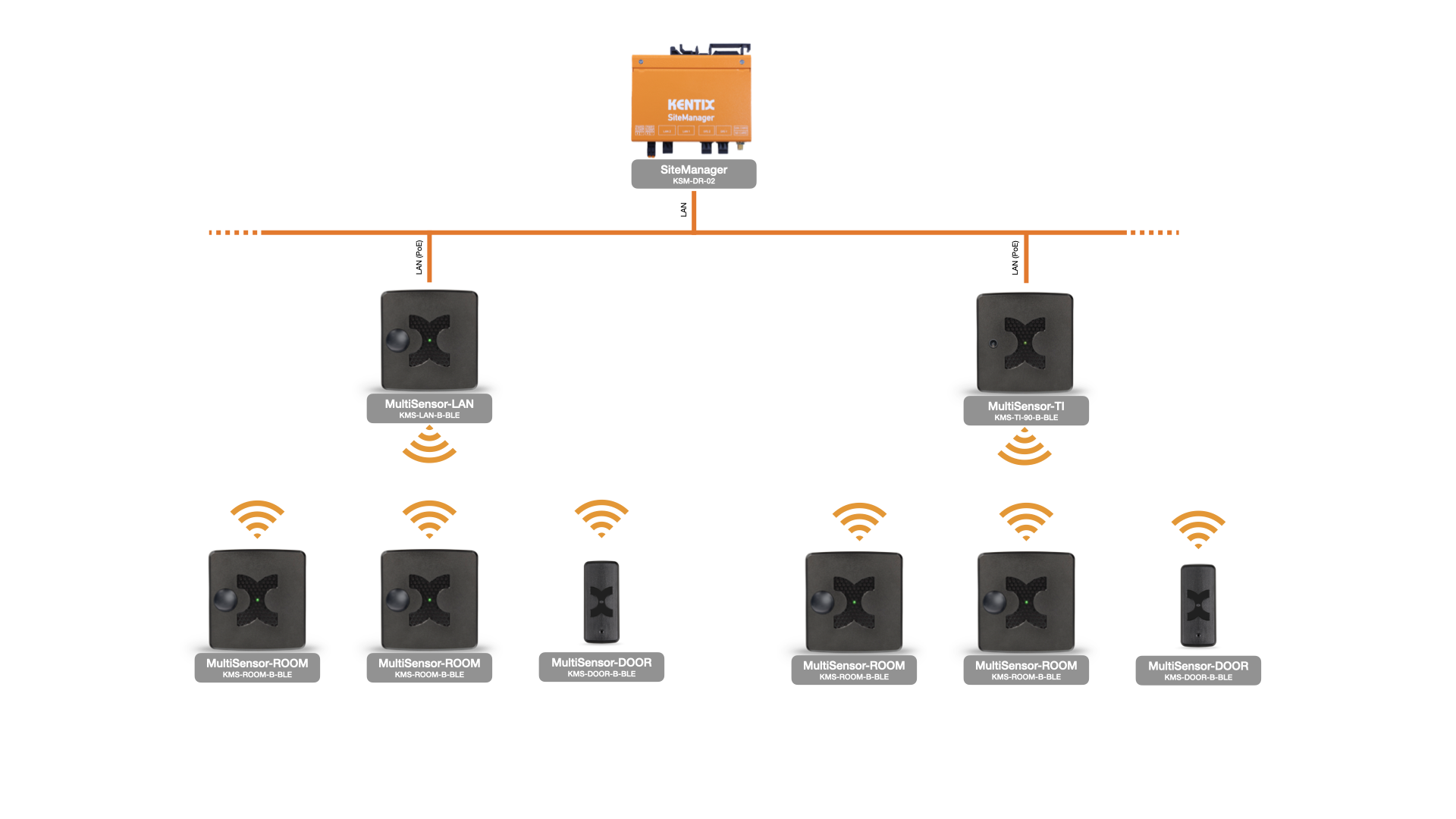
The MultiSensor-ROOM-BLE requires a suitable remote station for wireless operation. The network-capable MultiSensors (MultiSensor-LAN-BLE or MultiSensor-TI-BLE), which also act as a wireless Ethernet gateway, form this wireless remote station.
A SiteManager or AlarmManager in the MAIN-DEVICE operating mode is required for central management. Teach-in and configuration are performed entirely via the KentixONE web interface. The wireless range between the gateway (MultiSensor-LAN-BLE or MultiSensor-TI-BLE) and MultiSensor-ROOM-BLE can be up to 20m. Up to 25 wireless sensors can be taught-in to a wireless Ethernet gateway.
Safety instructions
No modifications of any kind may be made to Kentix GmbH products, with the exception of those described in the relevant instructions.
When installing Kentix devices, certain degrees of protection must be guaranteed.
Observe the relevant regulations for installations in the respective environment.
Only operate the products within the defined temperature range.
The instructions should be passed on to the user by the person carrying out the installation.
Kentix accepts no liability for damage to the devices or components caused by incorrect installation. Kentix accepts no liability for incorrectly programmed units.
Kentix accepts no liability for faults, material damage or other damage.
moisture, dirt and damage during transportation, storage and operation.
Only operate the products within the defined temperature range.
Installation and battery replacement may only be carried out by trained specialist personnel in accordance with the instructions.
Do not charge, short-circuit, open or heat batteries.
Observe the correct polarity when inserting the batteries.
The devices must always be operated with the batteries intended for the product.
When changing the batteries, always replace all batteries.
Dispose of old or used batteries properly.
Keep batteries out of the reach of children.
Controls
Front
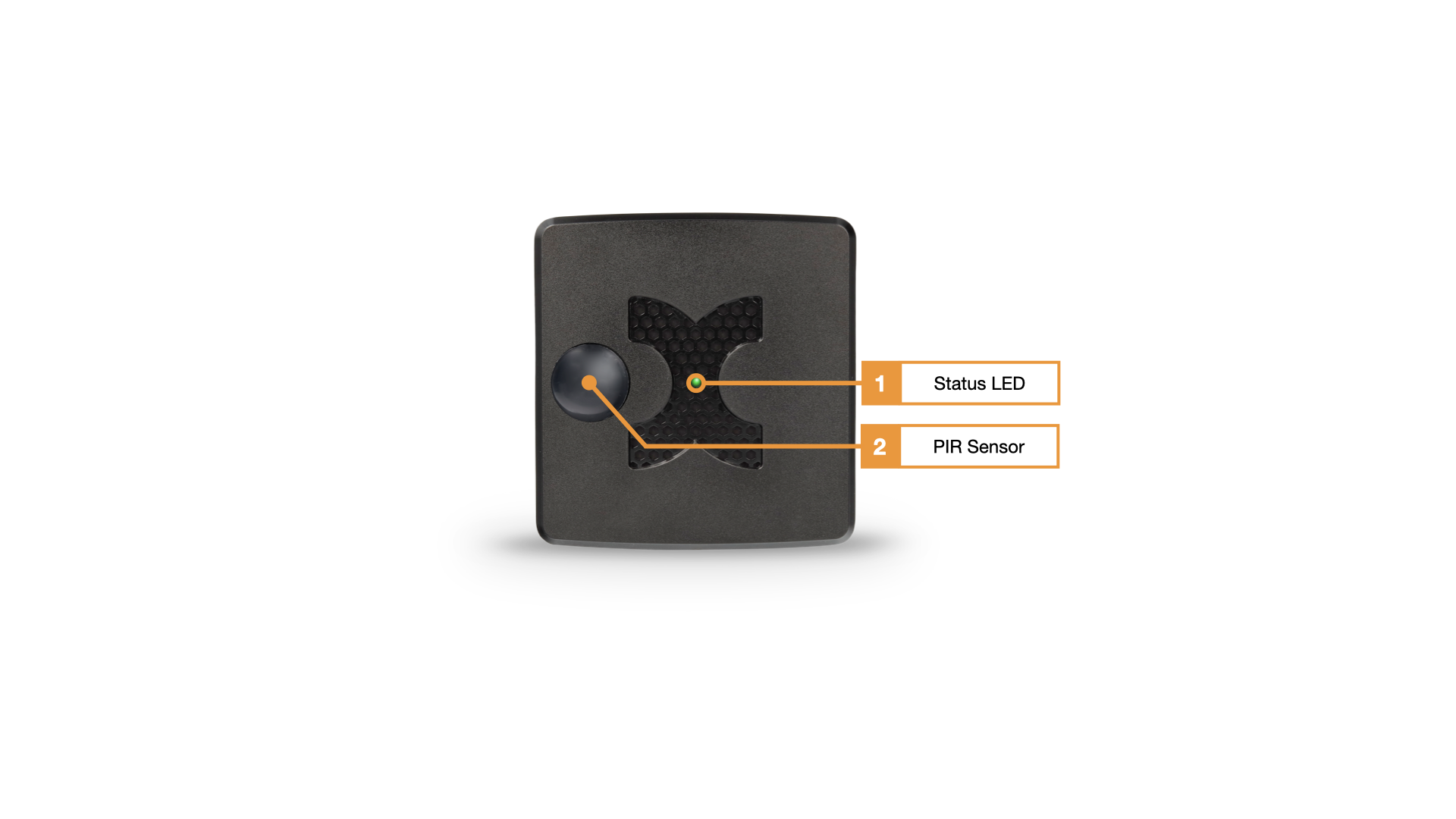
- Status LED :
GREEN: POWER OK, no alarms pending
RED: POWER OK, alarms pending - PIR sensor
Back
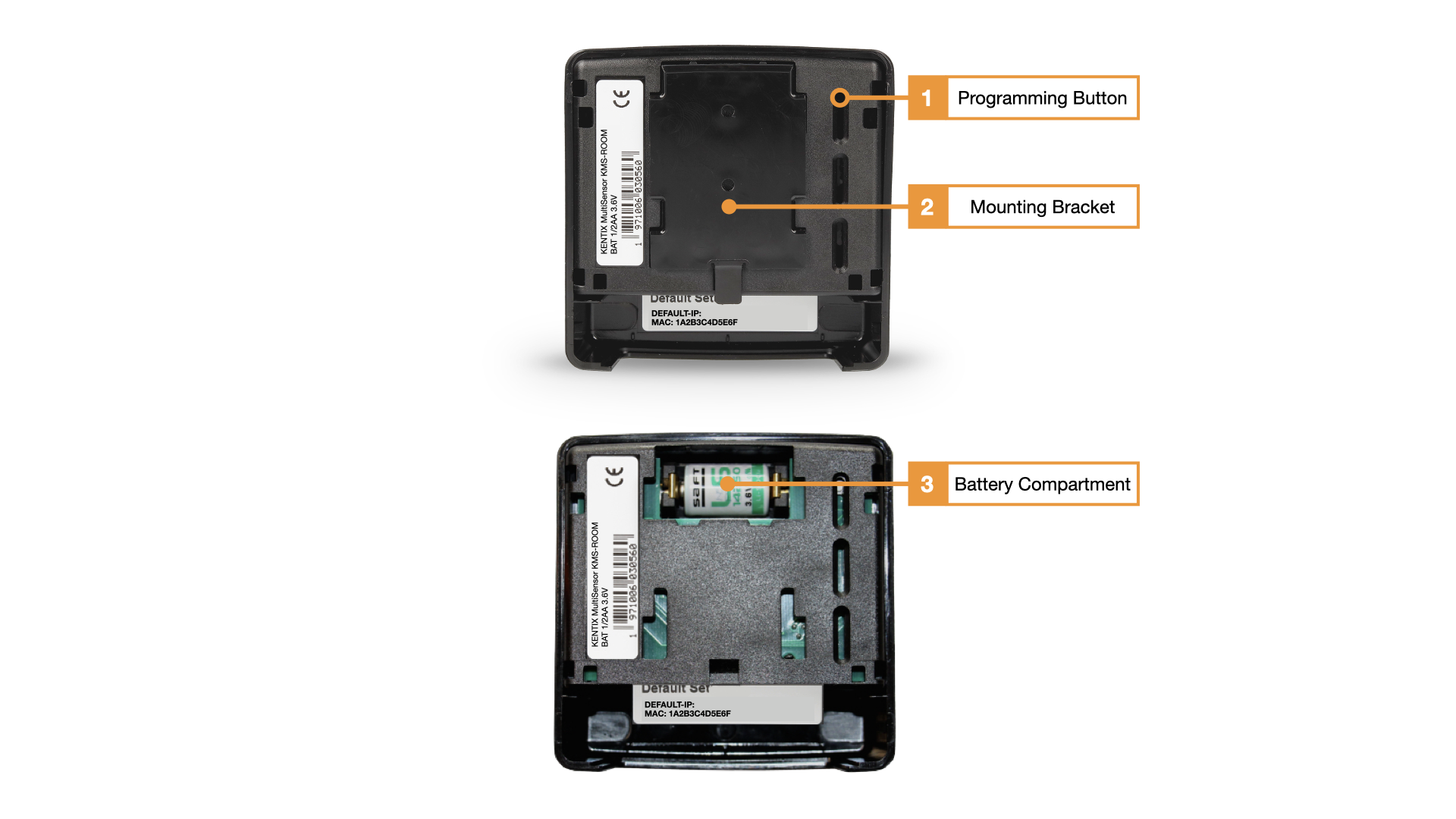
- Teach-in key: This key is used to teach the device into the wireless network. To teach-in the sensor, start the teach-in process in the AlarmManager web interface and then press the teach-in button for 3 seconds until a beep is heard
- Mounting bracket
- Battery compartment: one 3.6V 1/2AA battery is required to operate the device
Connect with radio network
- MultiSensor-ROOM-BLE must be within radio range of a fully configured wireless Ethernet gateway (MultiSensor-LAN-BLE or MultiSensor-TI-BLE). It is recommended to perform the teach-in process closer than the actual placement range, about 3-5m.
- Start the teach-in process in the KentixONE web interface in the “Detail View” area via the “Add device” button.
- Now press the teach-in button on the MultiSensor-ROOM-BLE for approx. 3 seconds with the battery inserted. After approx. 5-10 seconds, the MultiSensor-ROOM-BLE should be recognized as a new sensor.
- Finally, carry out the configuration and place the MultiSensor-ROOM-BLE in the intended mounting location.
Application example
Configuration with KentixONE
The device is configured via the web browser in KentixONE. The device must be accessible to the central KentixONE instance on the network side. Depending on the device type, a communication key and the IP address or DHCP name of the central KentixONE instance must also be set on the device (MultiSensors, AccessManager, SmartPDU). IP cameras or IO modules, on the other hand, can be integrated directly into KentixONE.
All information about the software can be found in the KentixONE section and the associated documentation.
Battery Maintenance Software
The MultiSensor-ROOM’s battery maintenance function must be enabled in the KentixONE configuration interface, version 8.6.0 or later. After the initial setup of the MultiSensor-ROOM and after every battery replacement, this function must be enabled to ensure trouble-free operation. To complete the activation, press the programming button once.