Datasheet AlarmManager
Overview
The Kentix AlarmManager is the central control unit of a Kentix installation with up to 30 Kentix devices. All devices used for access control(SmartAccess), building security(SmartMonitoring) and IT security(SmartPDU) are monitored by the AlarmManager and their data evaluated.
It manages all master data such as users, access, alarm groups as well as devices and their sensors.
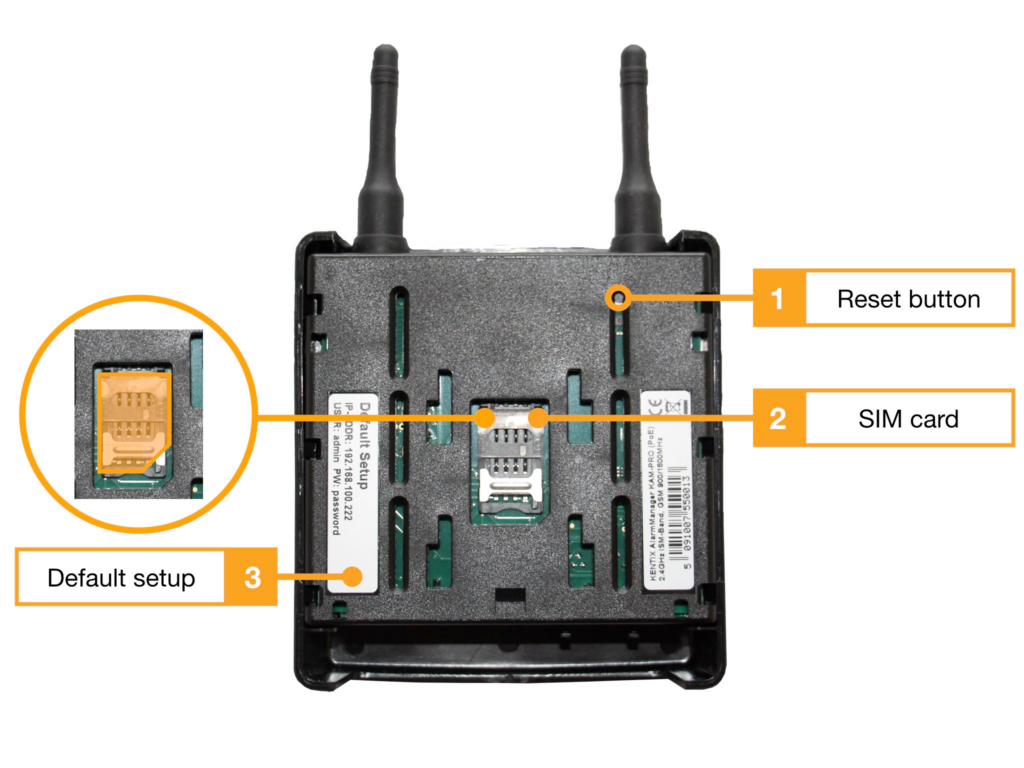
The AlarmManager reports dangers specifically by email and with the built-in GSM modem by SMS. If the power supply fails, it can still send an alarm via SMS thanks to an emergency buffer.
They require a POE-capable switch or injector for operation.
Various mounting brackets are available for installation.
Buffer function in the event of a power failure
The AlarmManager has maintenance-free backup capacitors to supply it with power for a certain time in the event of a power supply failure and to send an e-mail/SMS message about the power failure.
For continuous operation, we recommend operating the AlarmManager on a UPS-powered switch and additionally monitoring it.
The external power supply can be provided by using a MultiSensor-ROOM on a socket without a UPS supply.
Safety instructions
Safety instructions
No modifications of any kind may be made to Kentix GmbH products, with the exception of those described in the relevant instructions.
When installing Kentix devices, certain degrees of protection must be guaranteed.
Observe the relevant regulations for installations in the respective environment.
Only operate the products within the defined temperature range.
The instructions should be passed on to the user by the person carrying out the installation.
Kentix accepts no liability for damage to the devices or components caused by incorrect installation. Kentix accepts no liability for incorrectly programmed units.
Kentix accepts no liability for faults, material damage or other damage.
moisture, dirt and damage during transportation, storage and operation.
Only operate the products within the defined temperature range.
Installation and battery replacement may only be carried out by trained specialist personnel in accordance with the instructions.
Do not charge, short-circuit, open or heat batteries.
Observe the correct polarity when inserting the batteries.
The devices must always be operated with the batteries intended for the product.
When changing the batteries, always replace all batteries.
Dispose of old or used batteries properly.
Keep batteries out of the reach of children.
Connection and operating elements
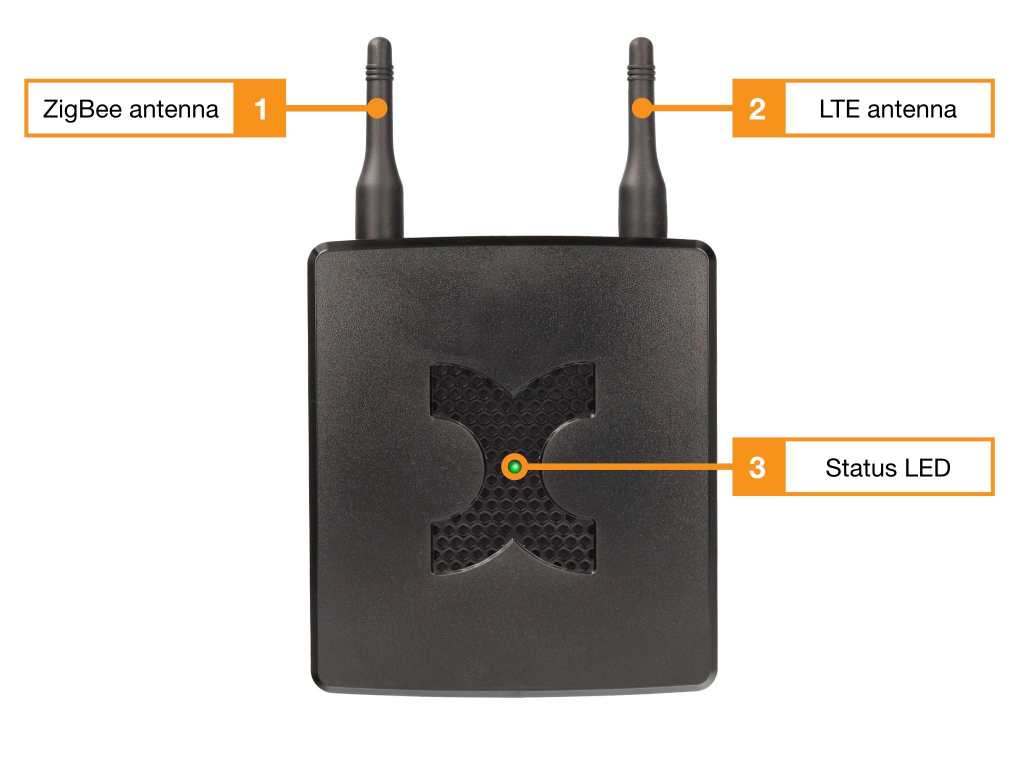
- ZigBee antenna (SMA screw antenna)
- LTE antenna (SMA screw antenna)
- Status LED